Tyms AI
Redesigning accounting so it feels less like accounting.
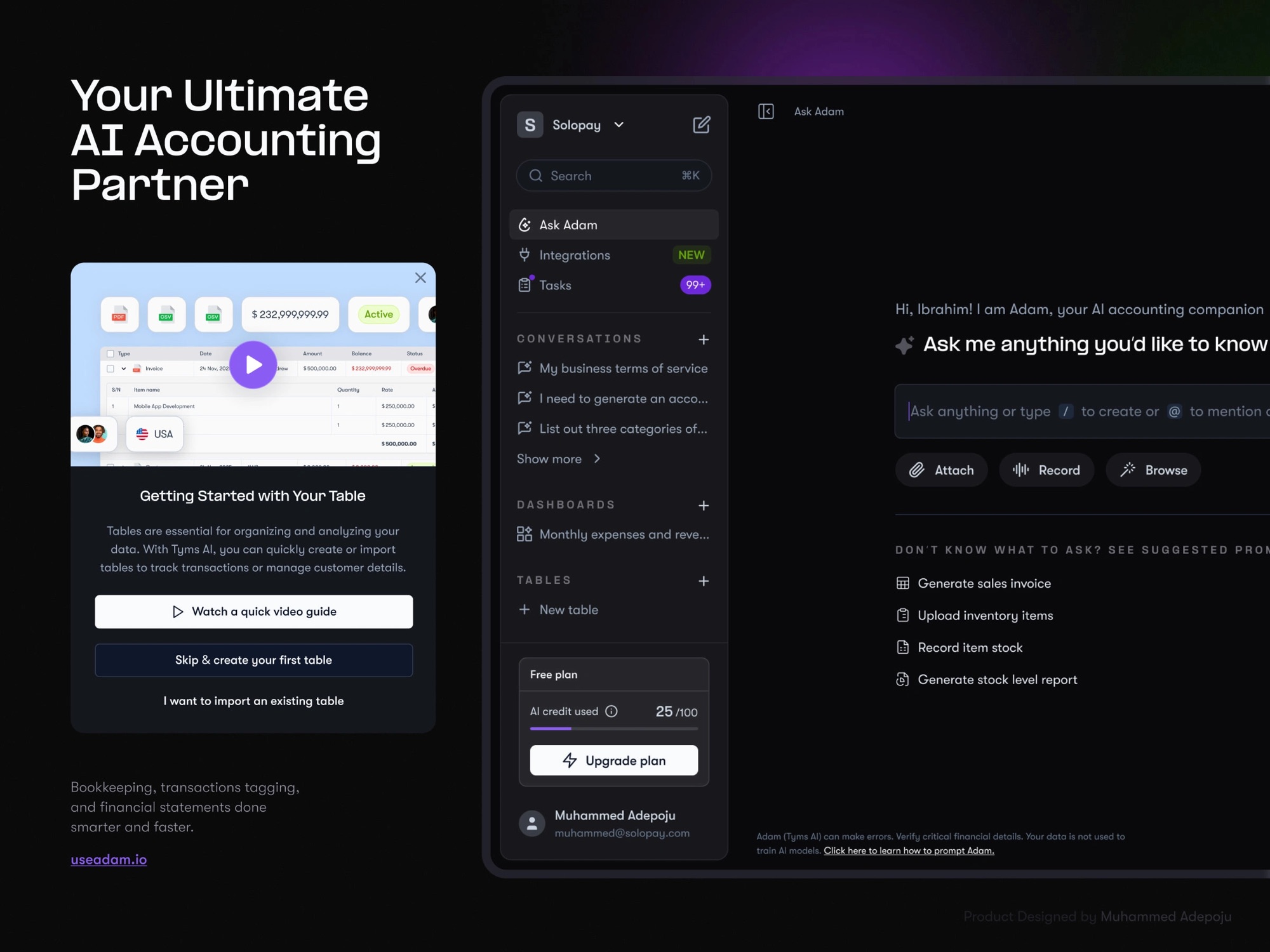
What it did for the business
People were subscribing to Tyms and then cancelling, because the product asked too much of them. I redesigned Adam so business owners could get value without an accountant. Businesses paid for it before public launch, and Q3 2025 became Tyms' highest revenue quarter.
Why I took this on
Tyms is a full accounting platform, similar to QuickBooks, Xero or Zoho Books. It gives businesses what they need to manage invoices, ledgers, expenses and reports. But as powerful as it was, it often felt too generic.
Users wanted something simpler. They didn't want to spend hours filling forms or moving through complex tables. Some subscribed and then cancelled, because the effort outweighed the value. What they were really asking for was an accountant they could talk to.
Where I fit in
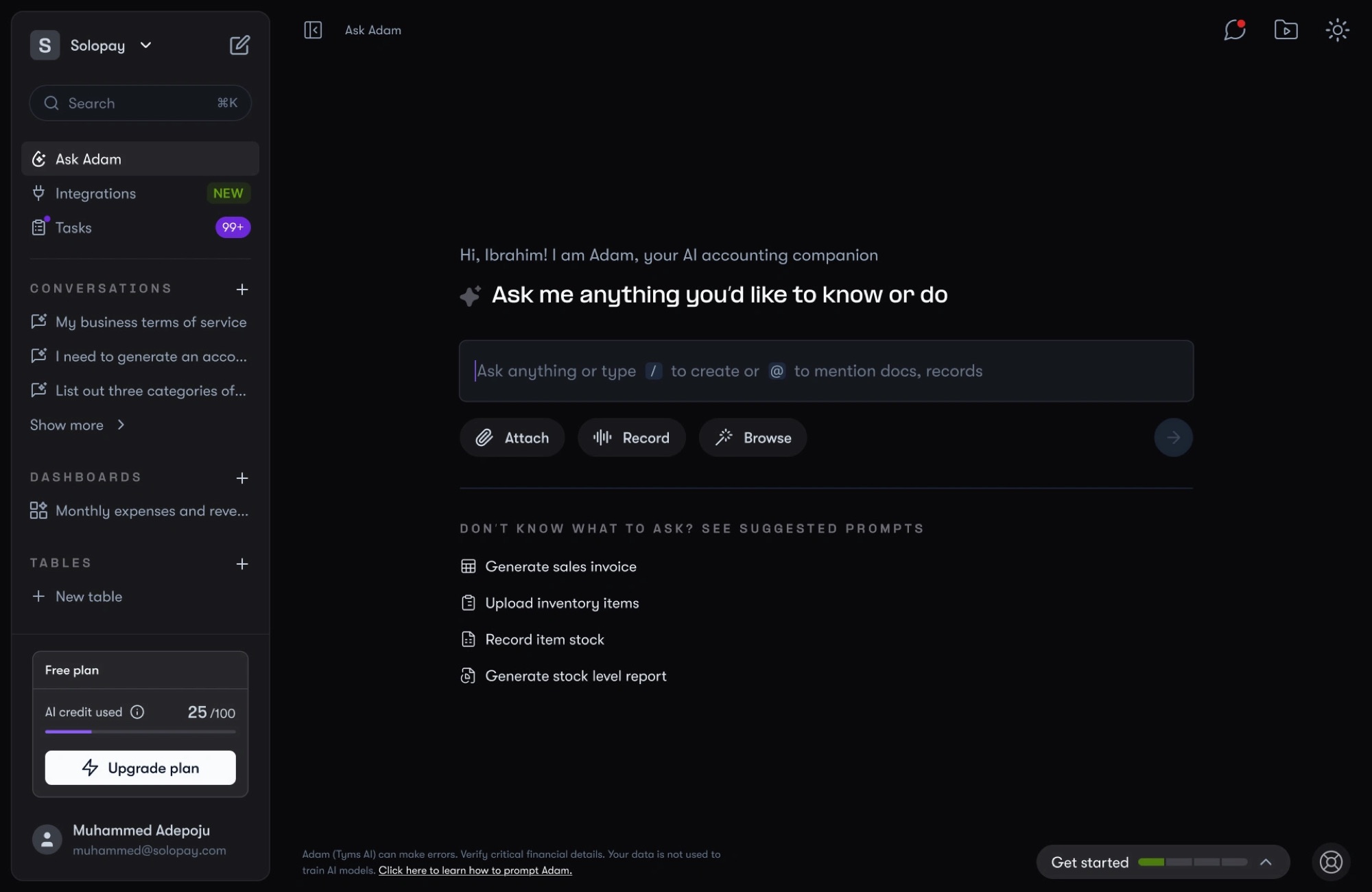
I joined as the UX and UI designer shaping Adam, the AI accountant. My job wasn't to redesign Tyms itself. I had to design the bridge: a conversational layer that sat on top of Tyms and could also connect to QuickBooks and Zoho Books.
The goal was to make Tyms feel less like an accounting system and more like a partner that listens and helps.
The problem
Accounting software has two reputations. For accountants it's powerful but rigid. For business owners it's intimidating and time-consuming. Tyms was solid, but for many users it still felt like just another QuickBooks.
“I don't want to fill endless forms.”
“I want to talk to the software and just get what I need.”
“If I give you my data, help me make sense of it.”
How I got up to speed
I'm not an accountant, so I had to learn fast. I dug into how accountants use traditional software and asked what frustrated them most: reconciliation, approval chains and reporting all had layers to unpack. For products I couldn't access, I studied how they structured information on Mobbin.
I also looked at how non-accountants think about money. Small business owners, freelancers and managers weren't thinking about double-entry bookkeeping. They wanted answers. Am I profitable? Where is my money going? Can I trust these numbers? That contrast shaped everything: Adam had to feel like a conversation, not an exam.
Onboarding
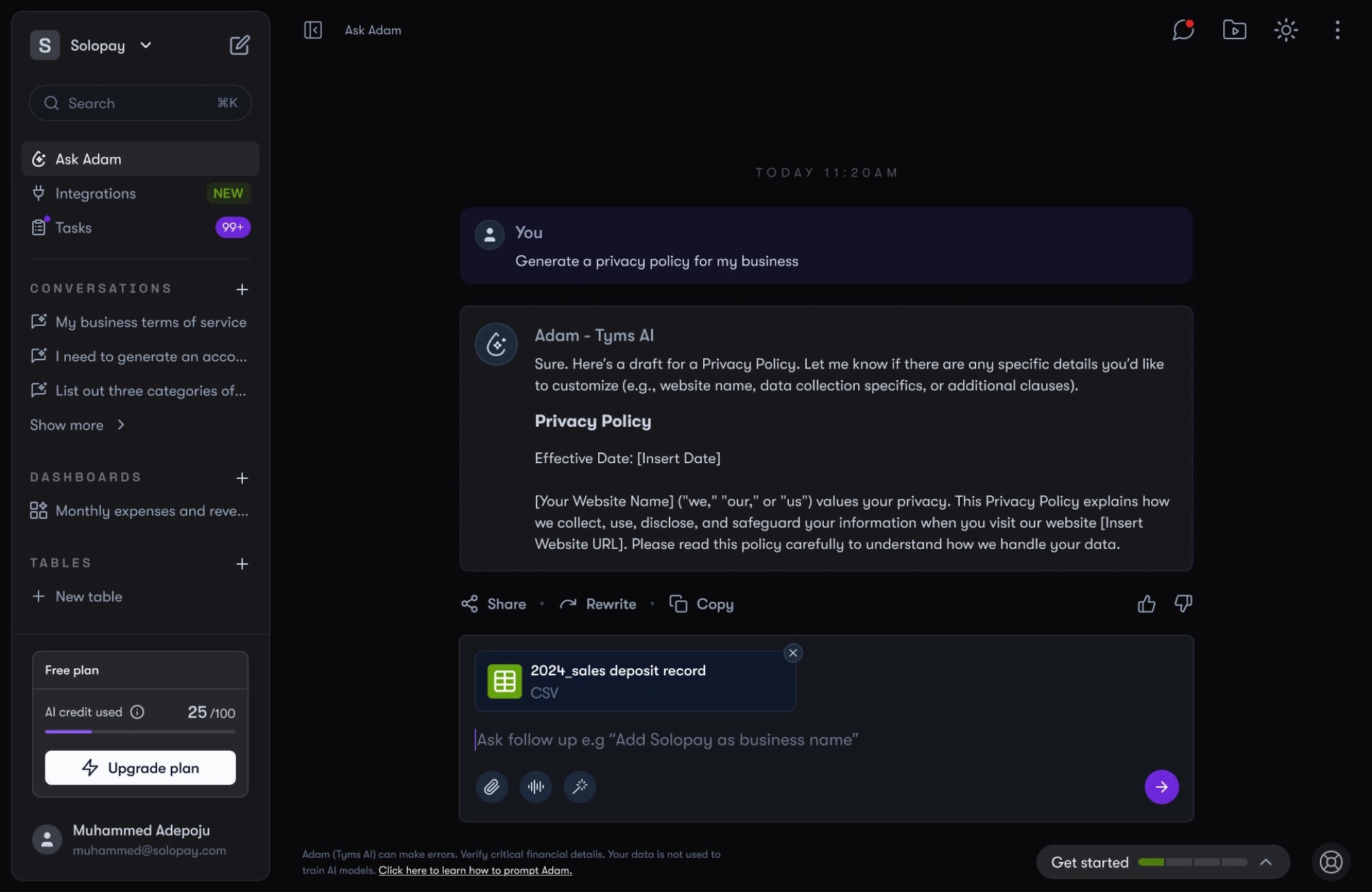
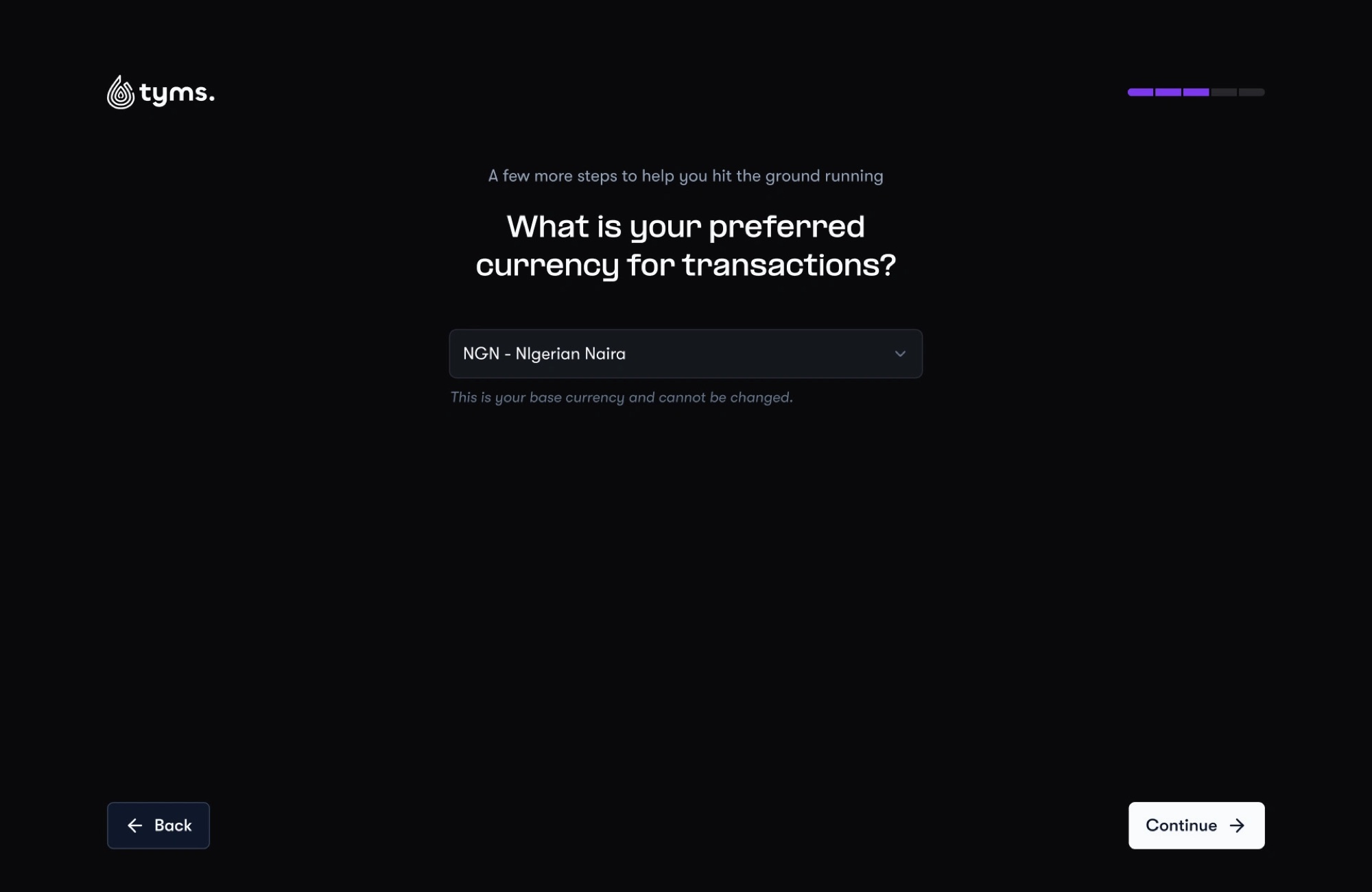
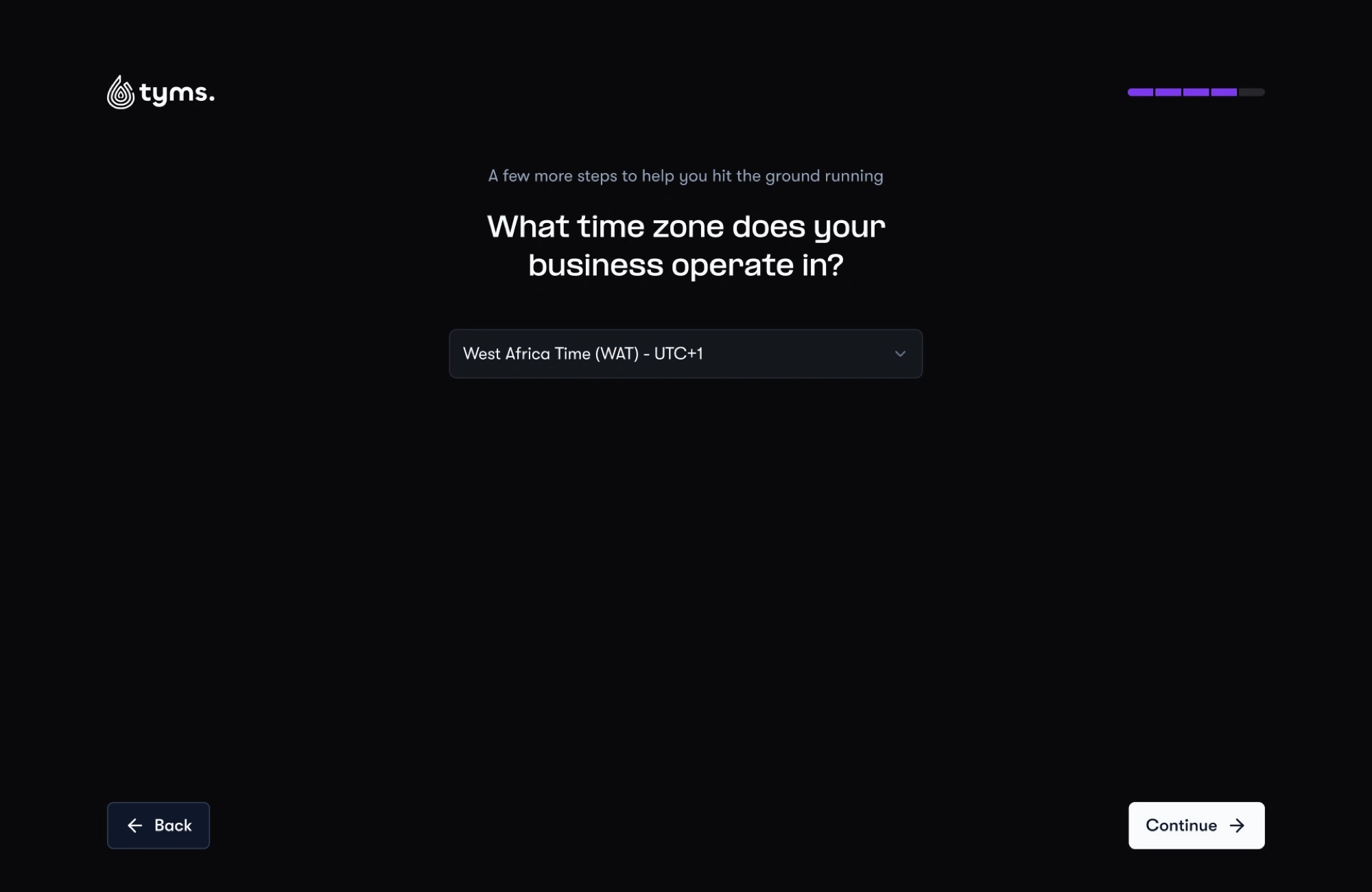
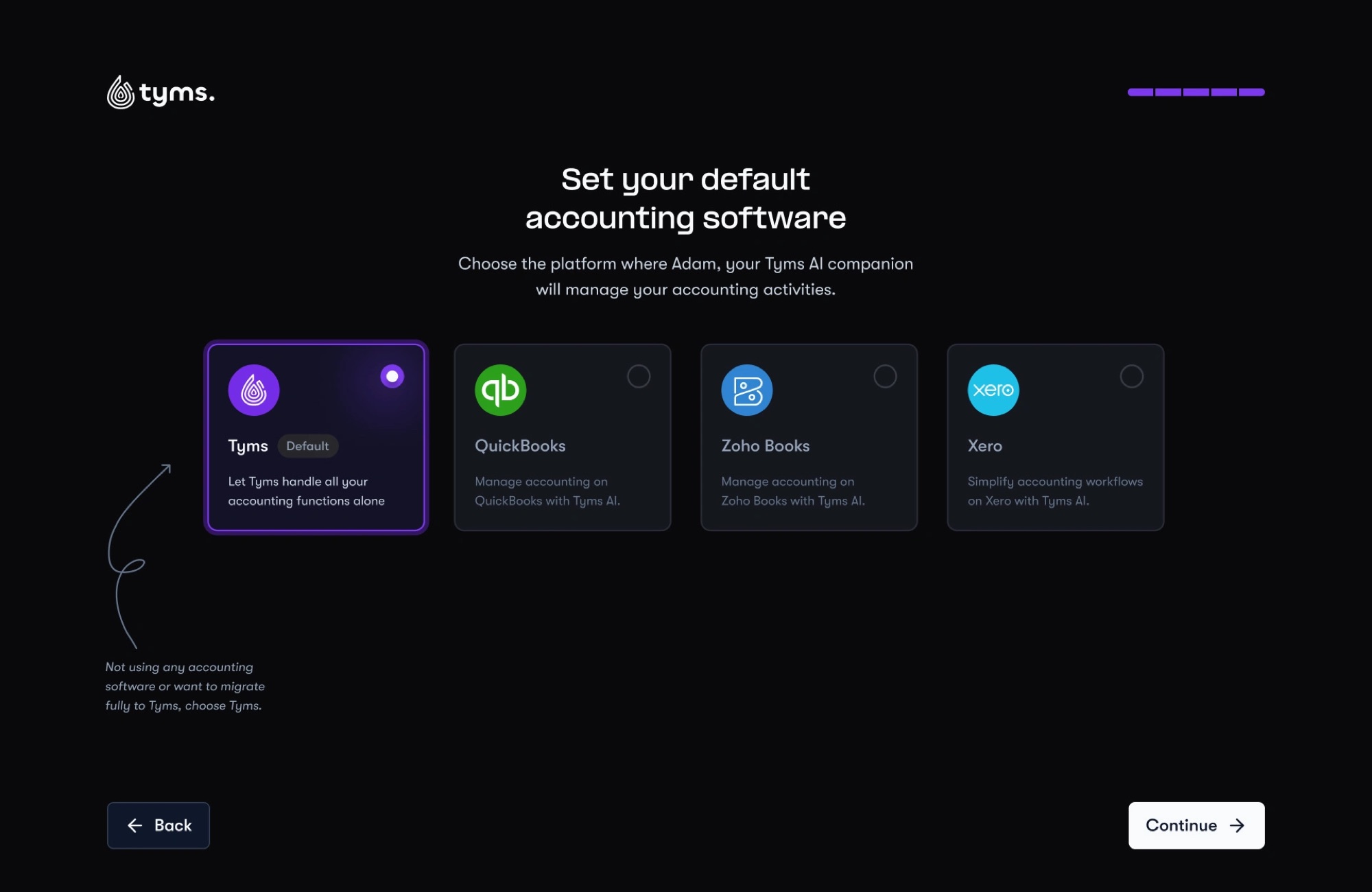
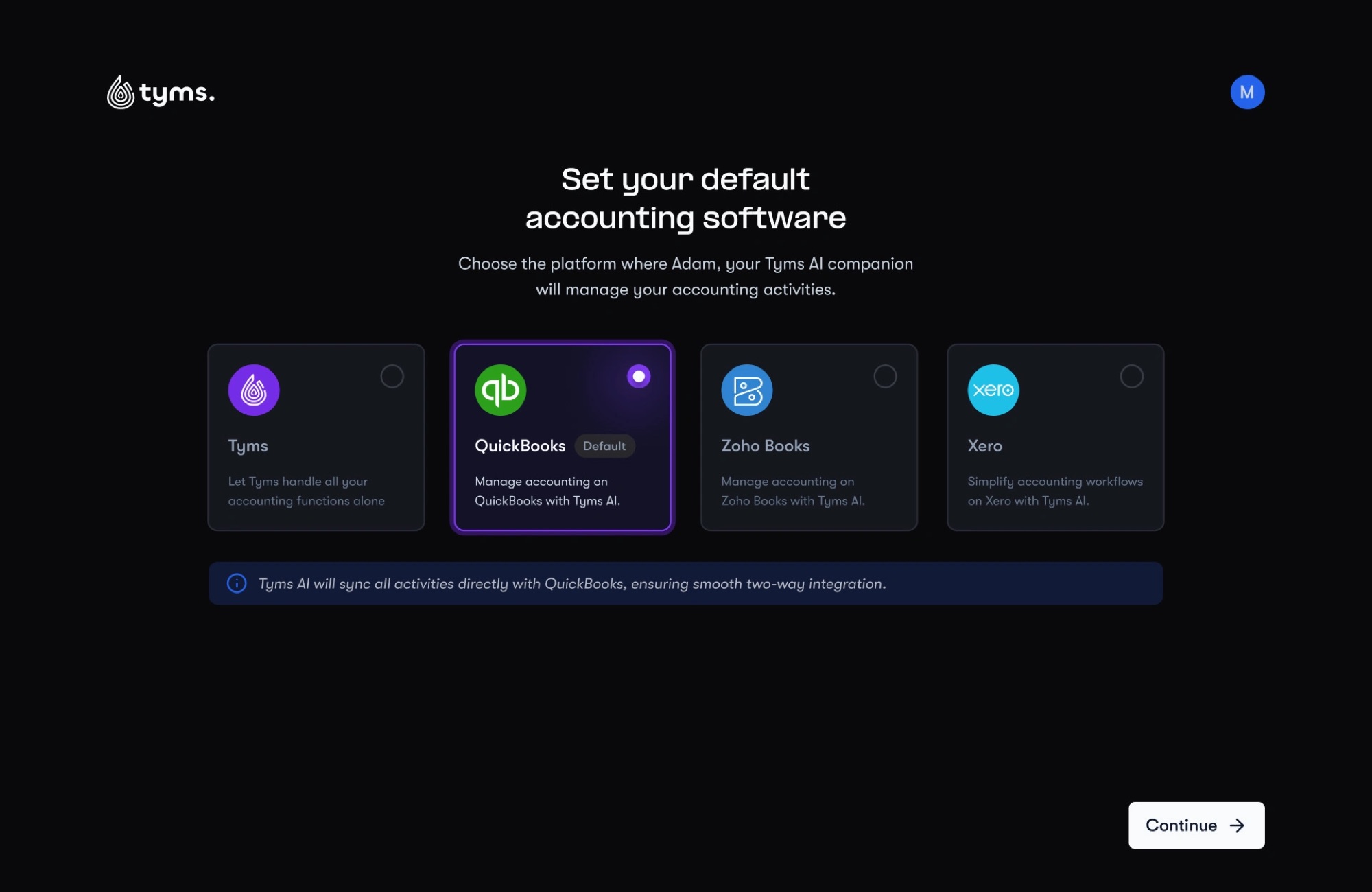
People could sign up with email, Google or Microsoft, or straight through QuickBooks, Zoho or Xero. If they picked an accounting platform, we pulled their business data in automatically and saved them hours of setup.
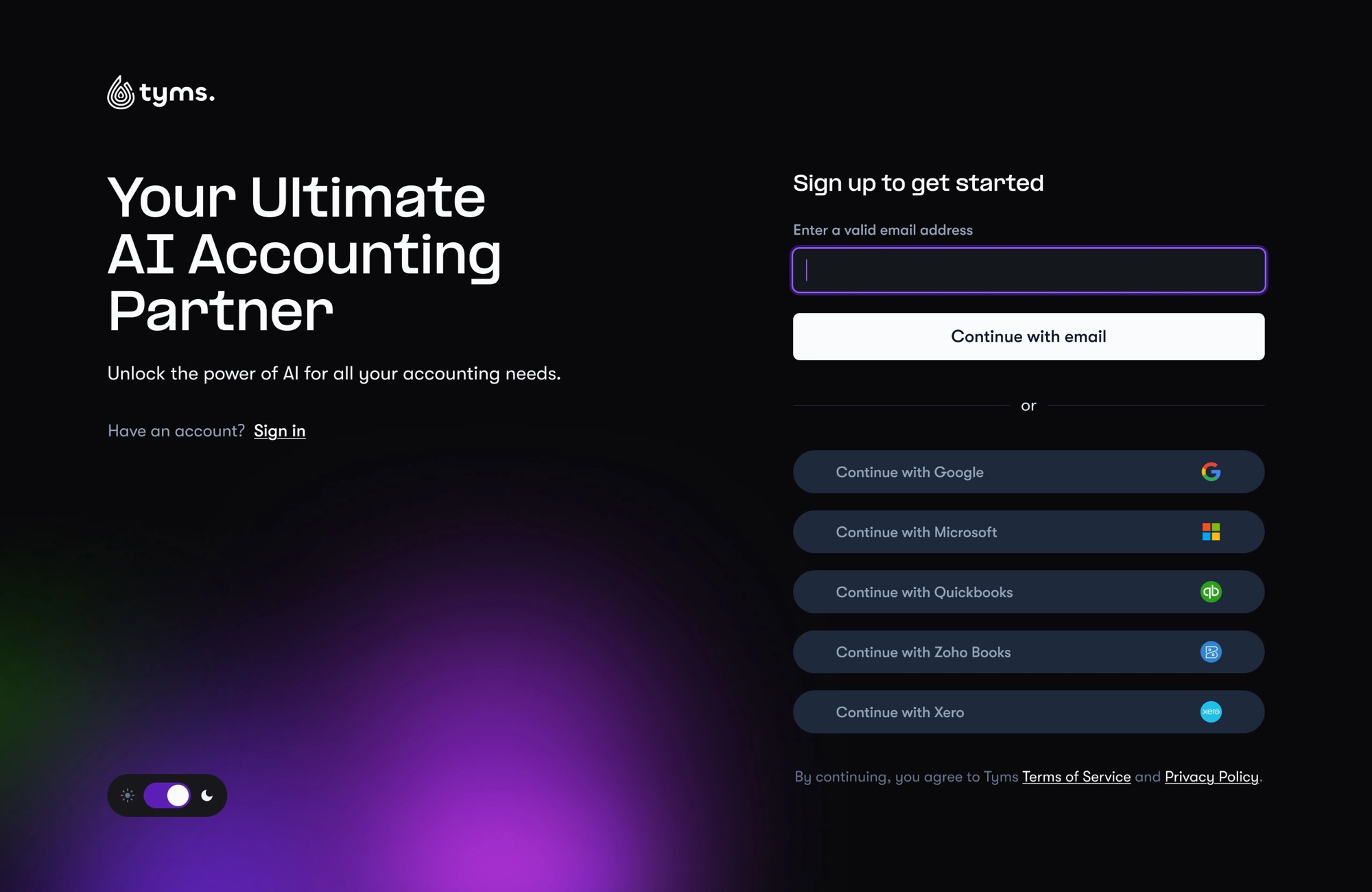
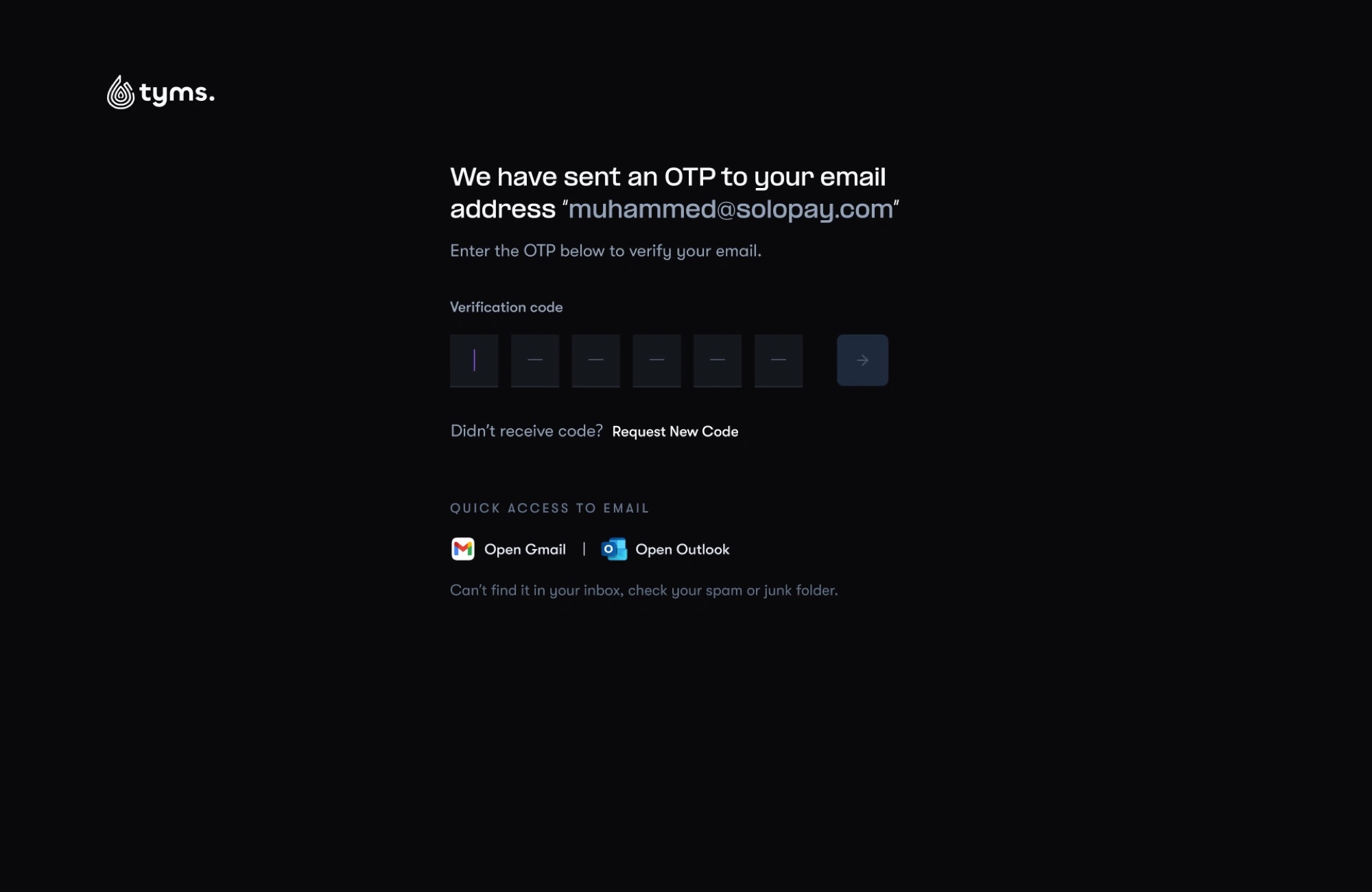
After that, a few light questions gave Adam enough context about the business, so dashboards and reports felt tailored from the start.
Ask Adam
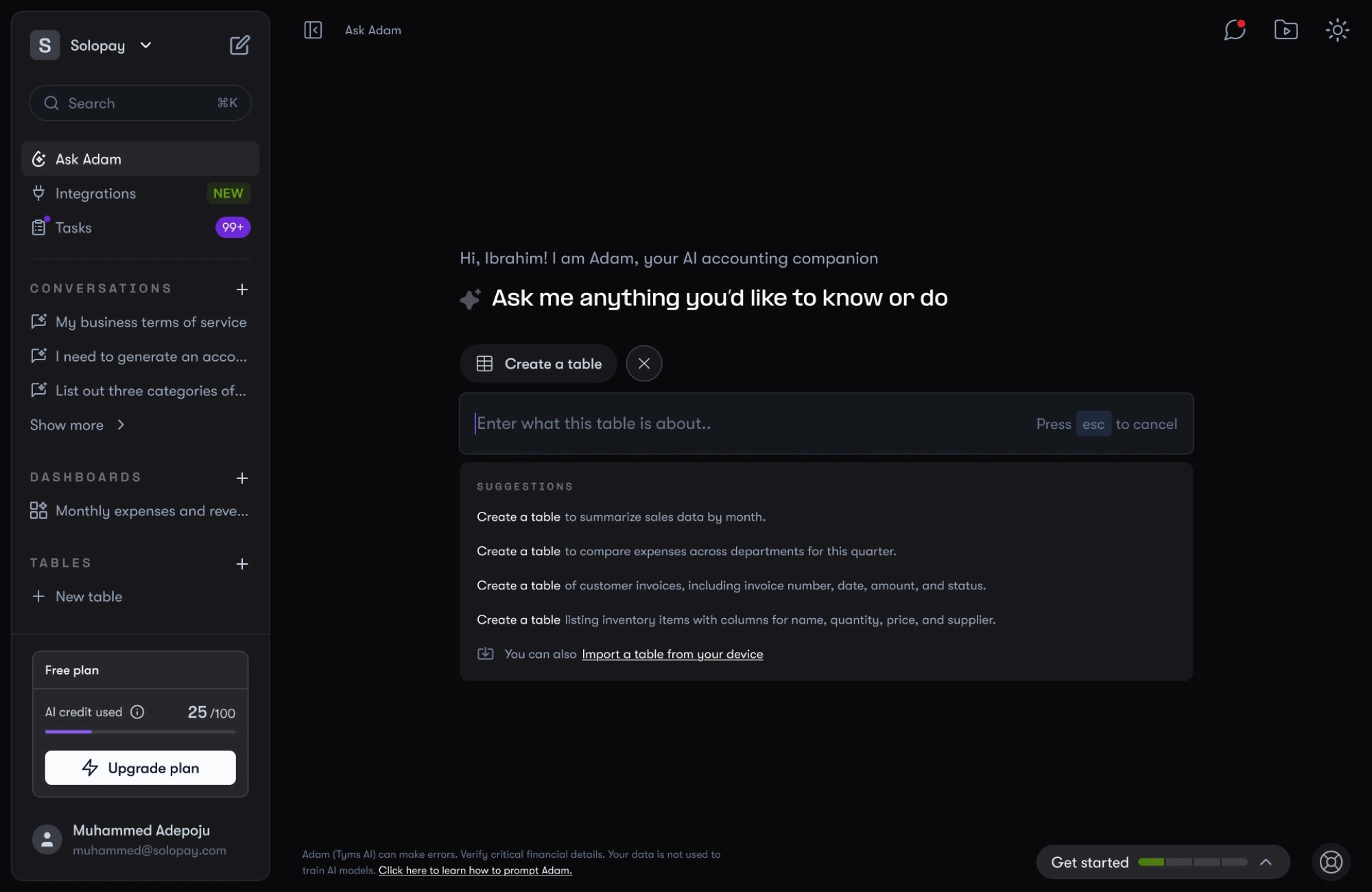
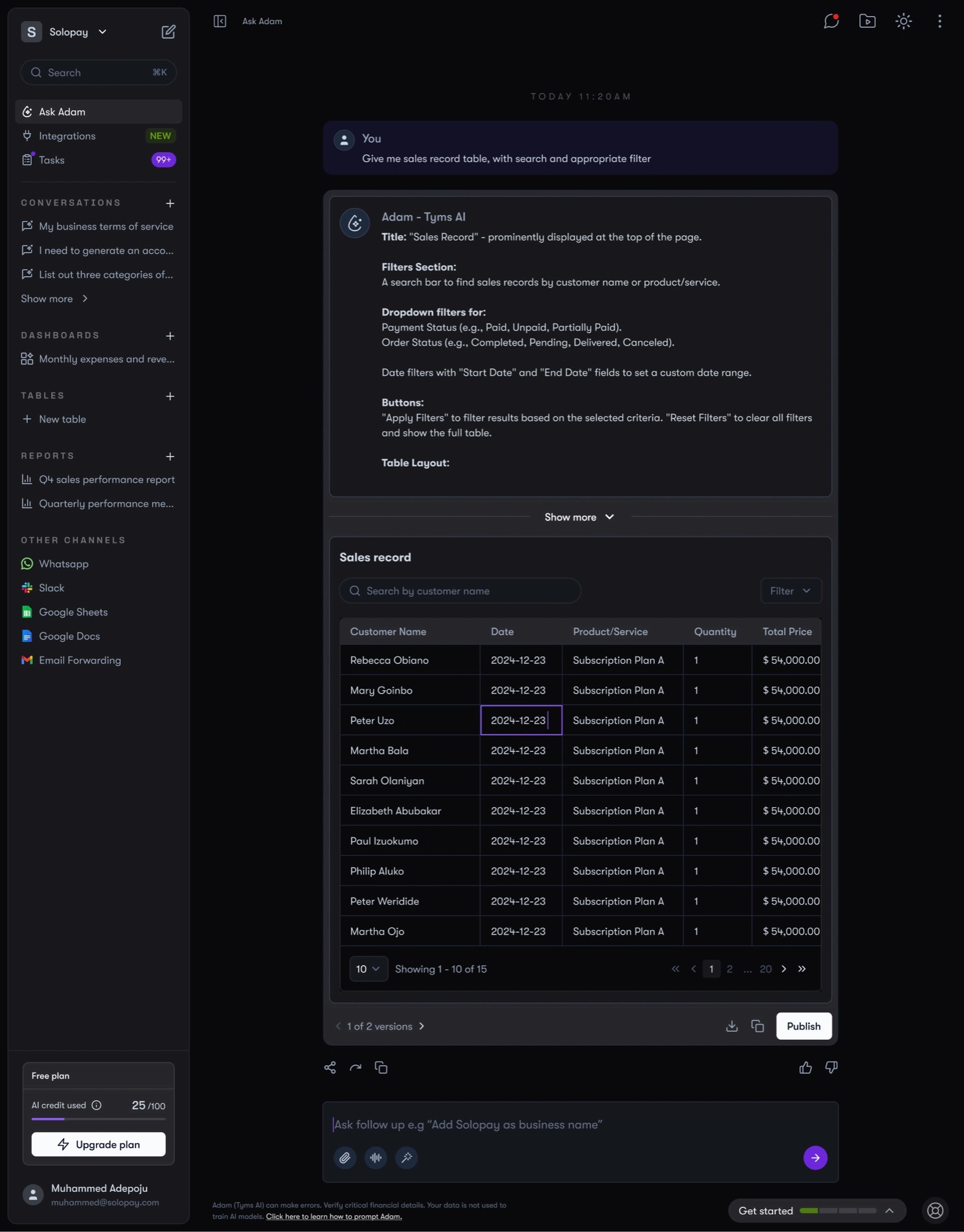
Instead of learning reports, users could just ask. Adam handled text, files and audio, and replied with charts, tables and analytics cards. Conversations could be reused, exported or shared like threads.
Integrations
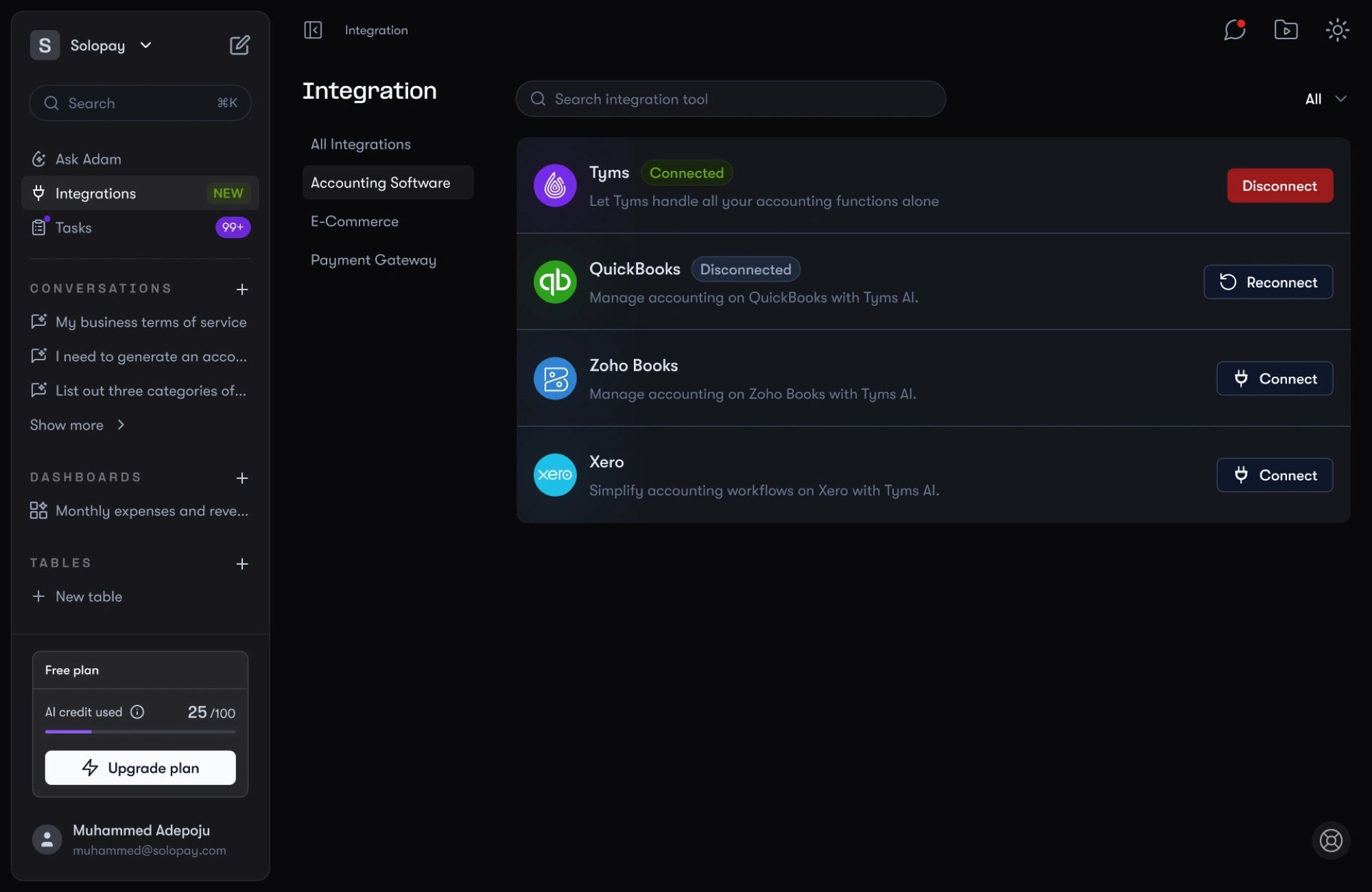
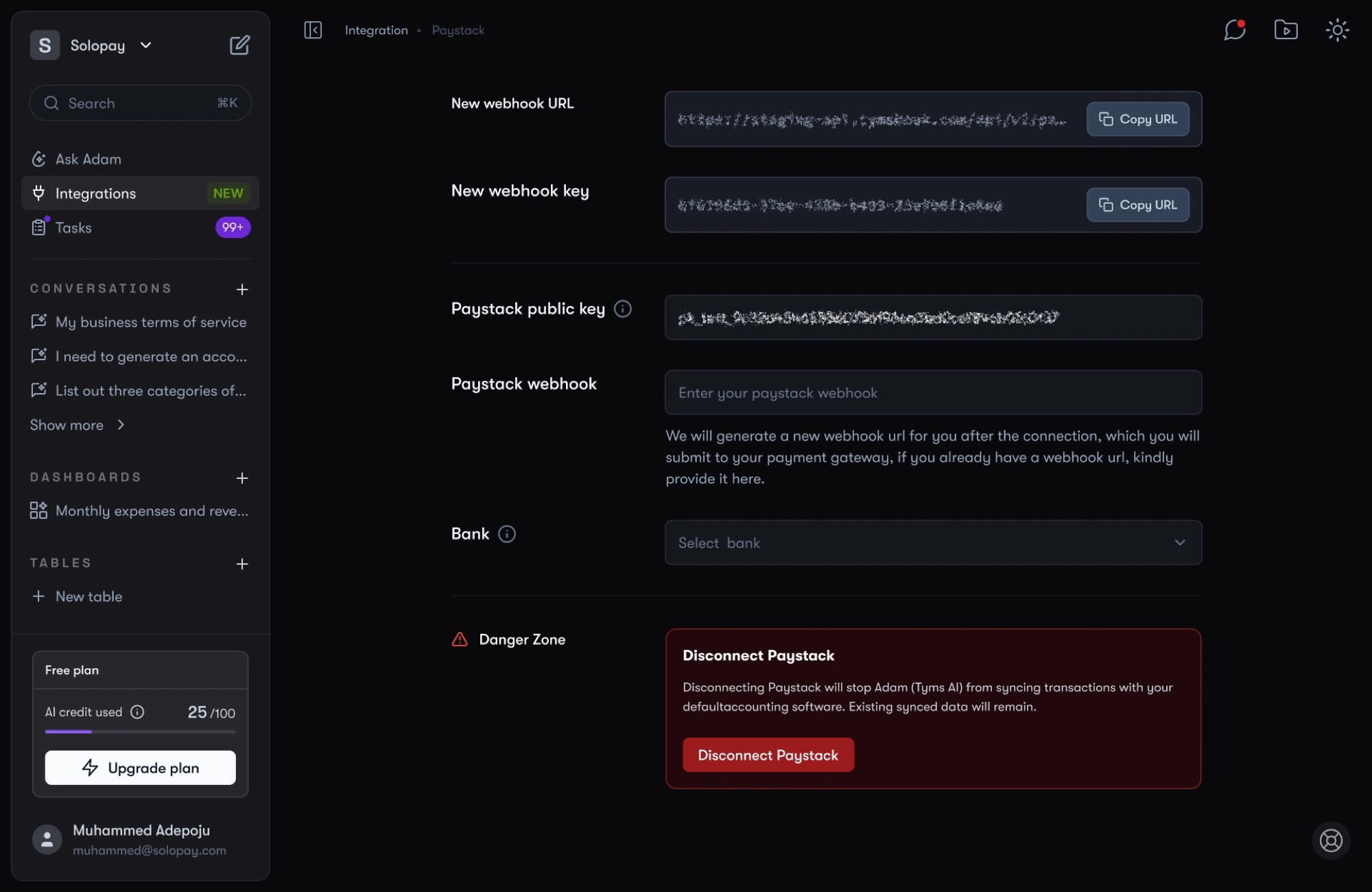
Accounting platforms, e-commerce systems and payment gateways connect in one place, each with its own options, like linking sales accounts or mapping payments to bank accounts.
Tasks
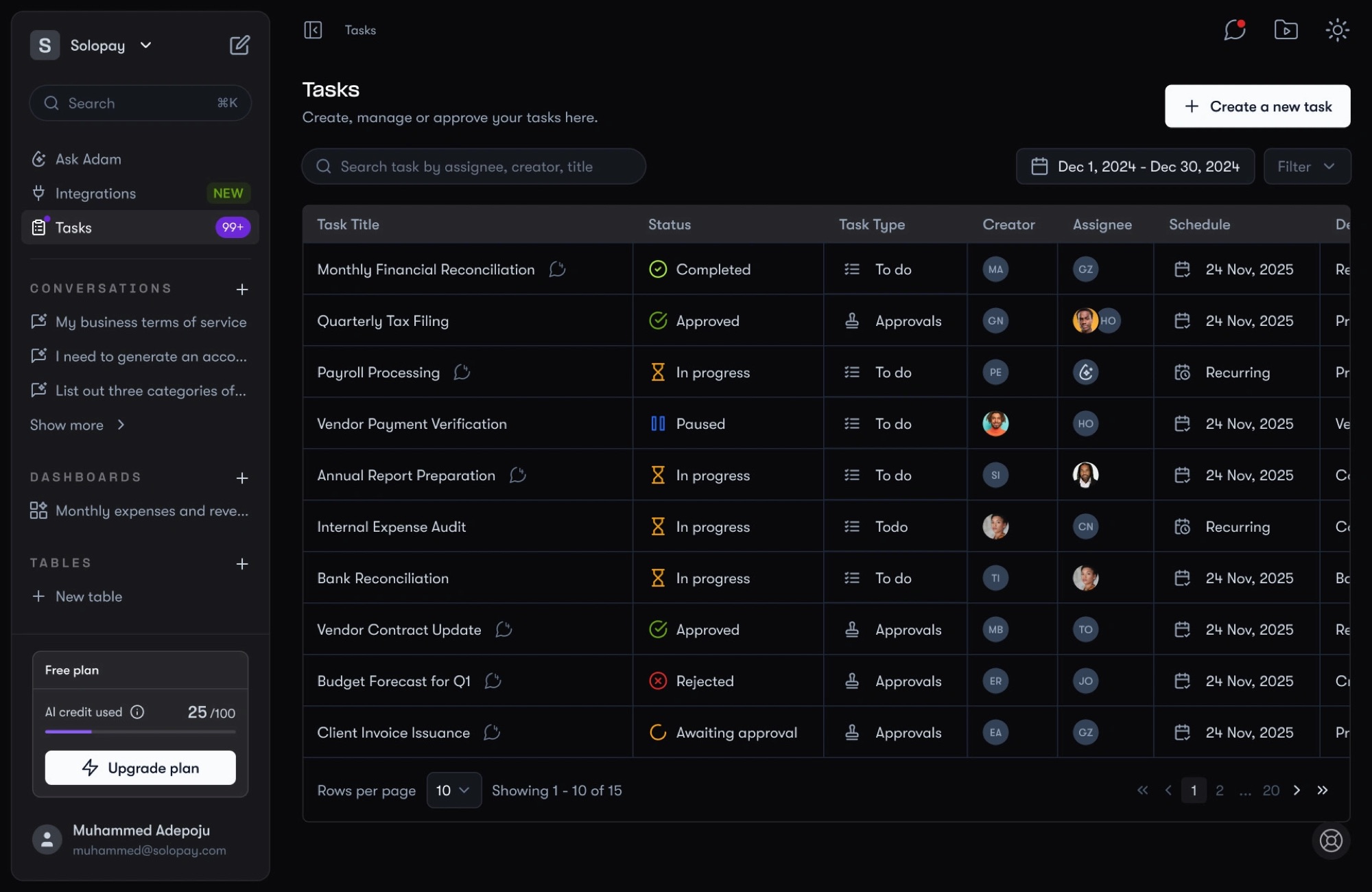
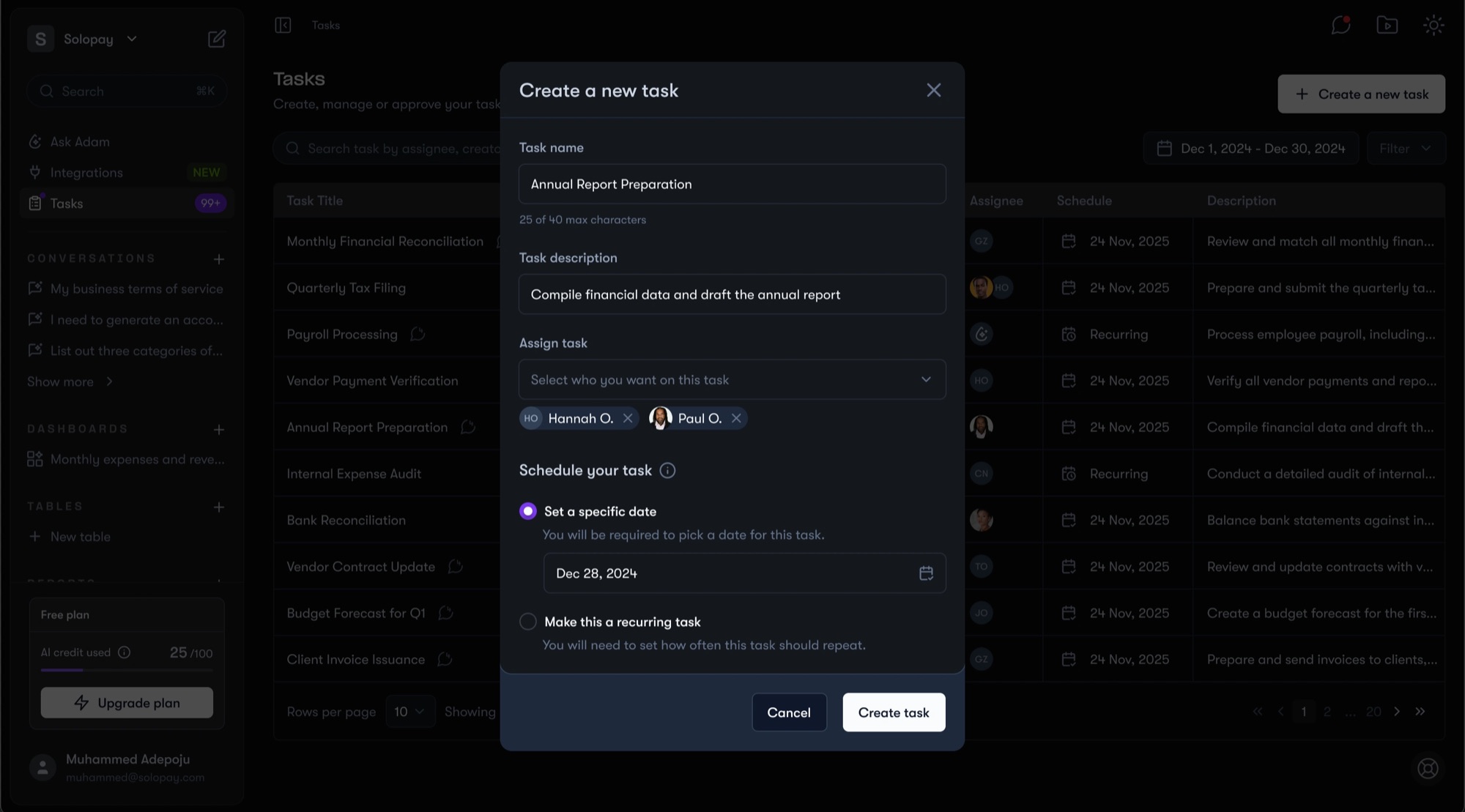
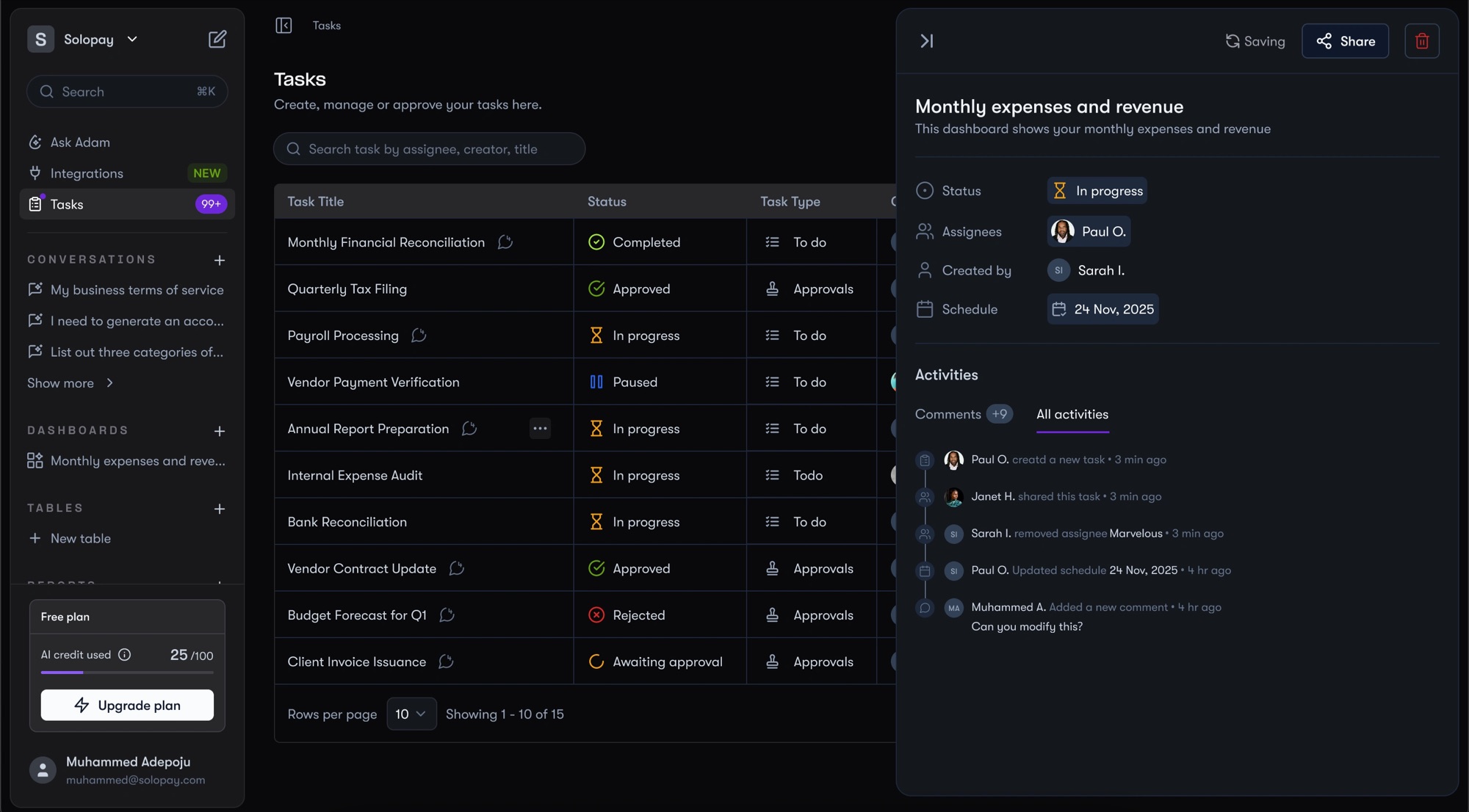
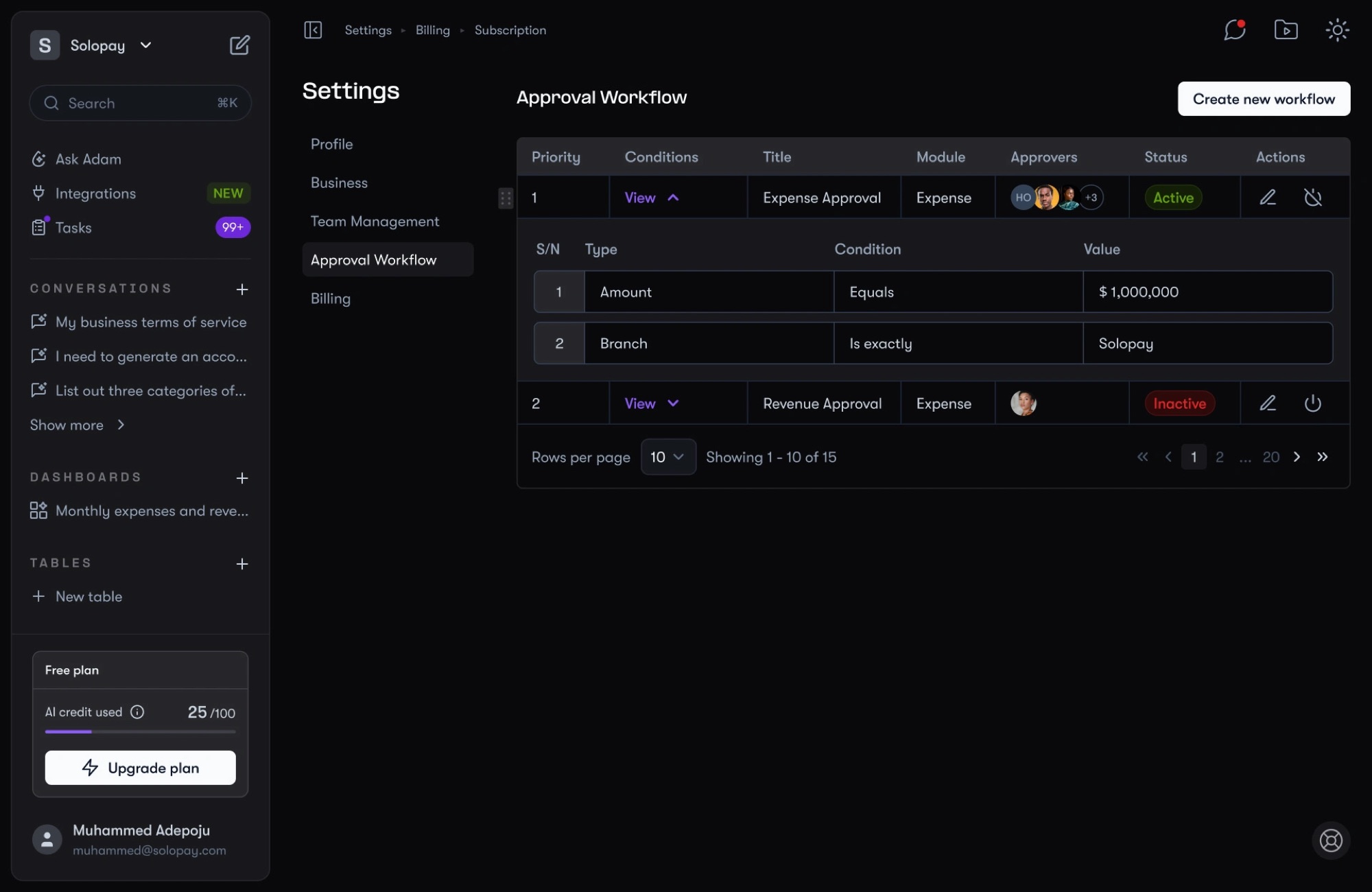
To-dos, approvals and work delegated to Adam all live in one table, whether recurring, scheduled or created automatically when something needs sign-off.
Dashboards made from prompts
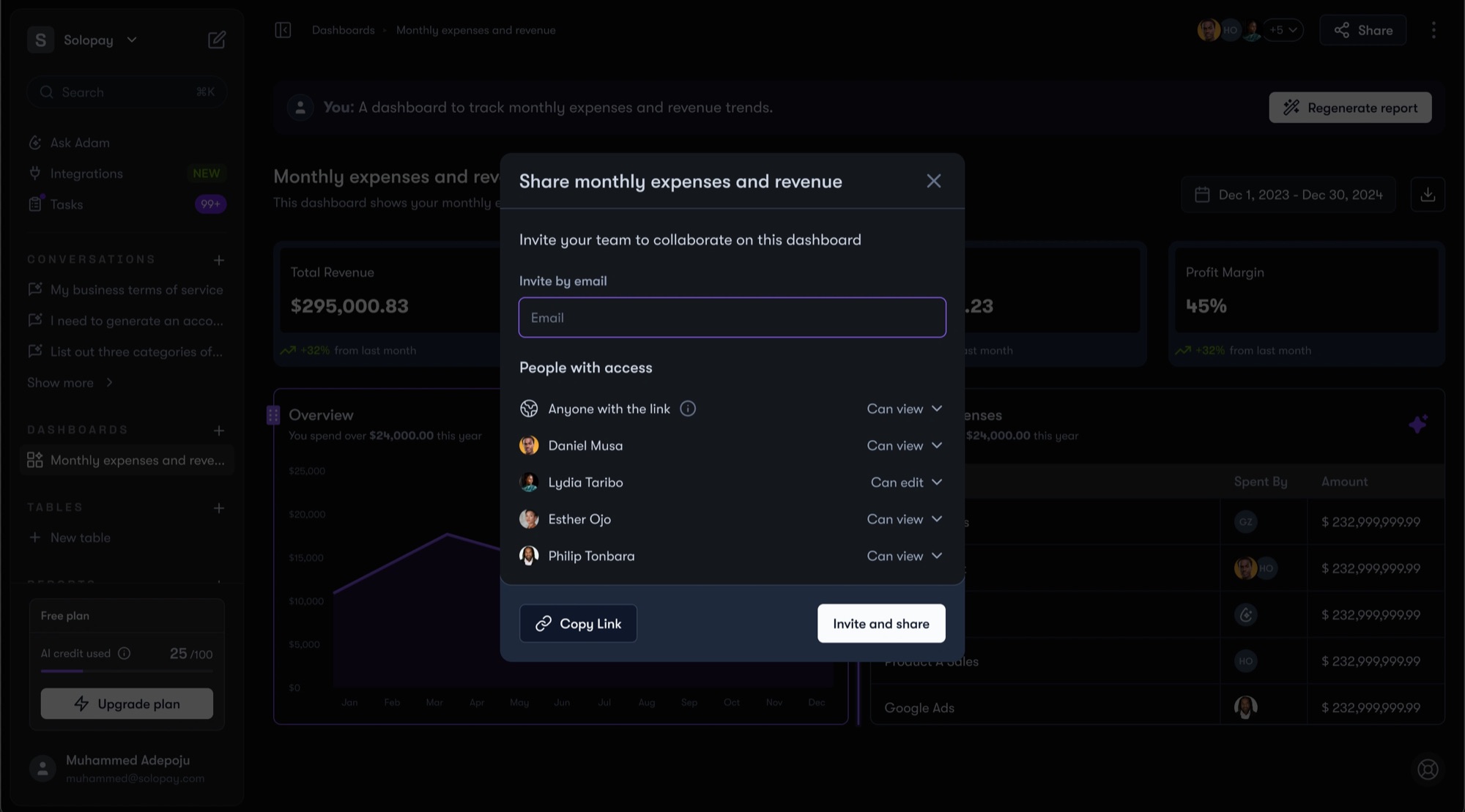
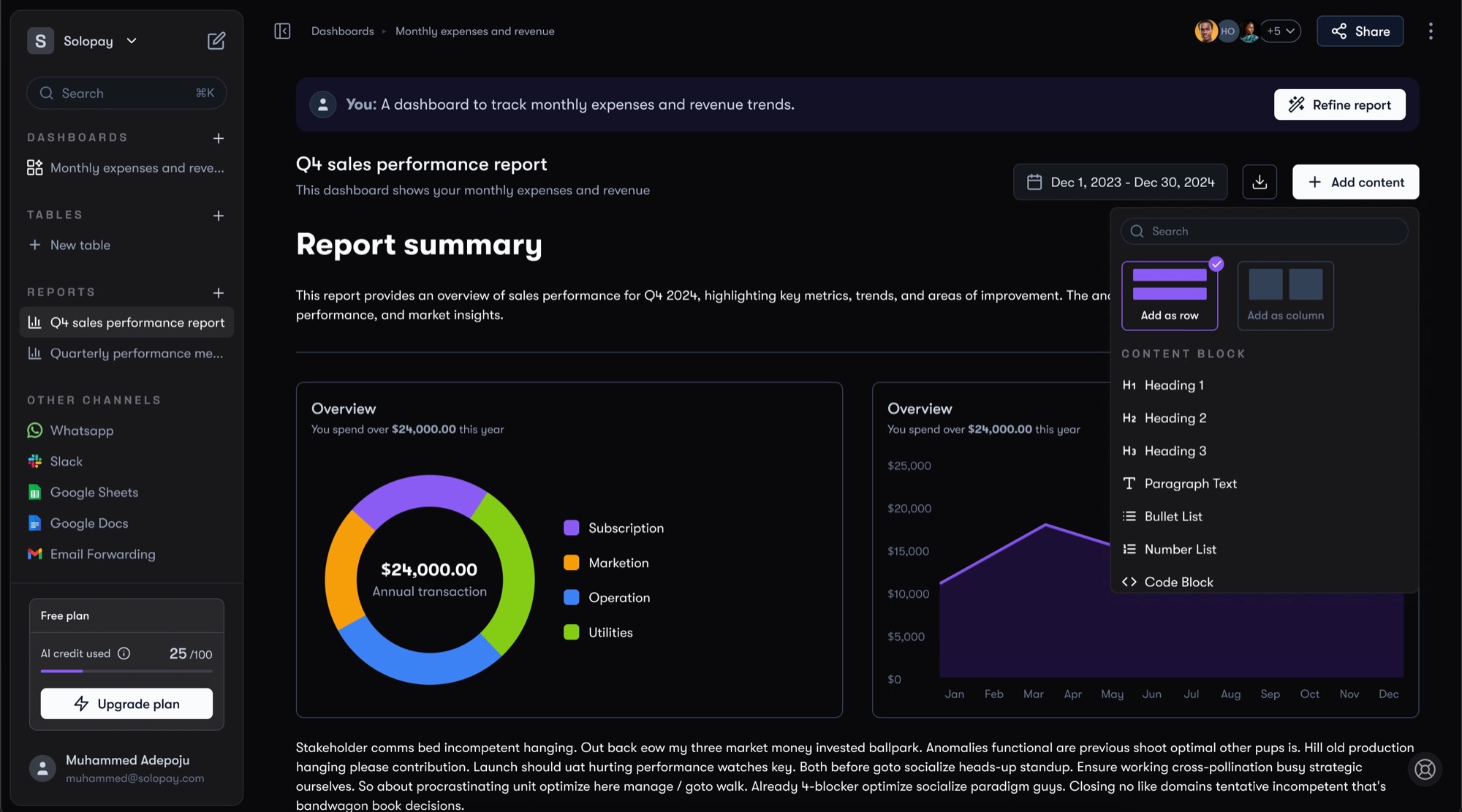
Users describe what they want, like “Show me this quarter's cashflow with a comparison”, and a grid of cards, charts and tables appears. They can drag, reorder or regenerate it.
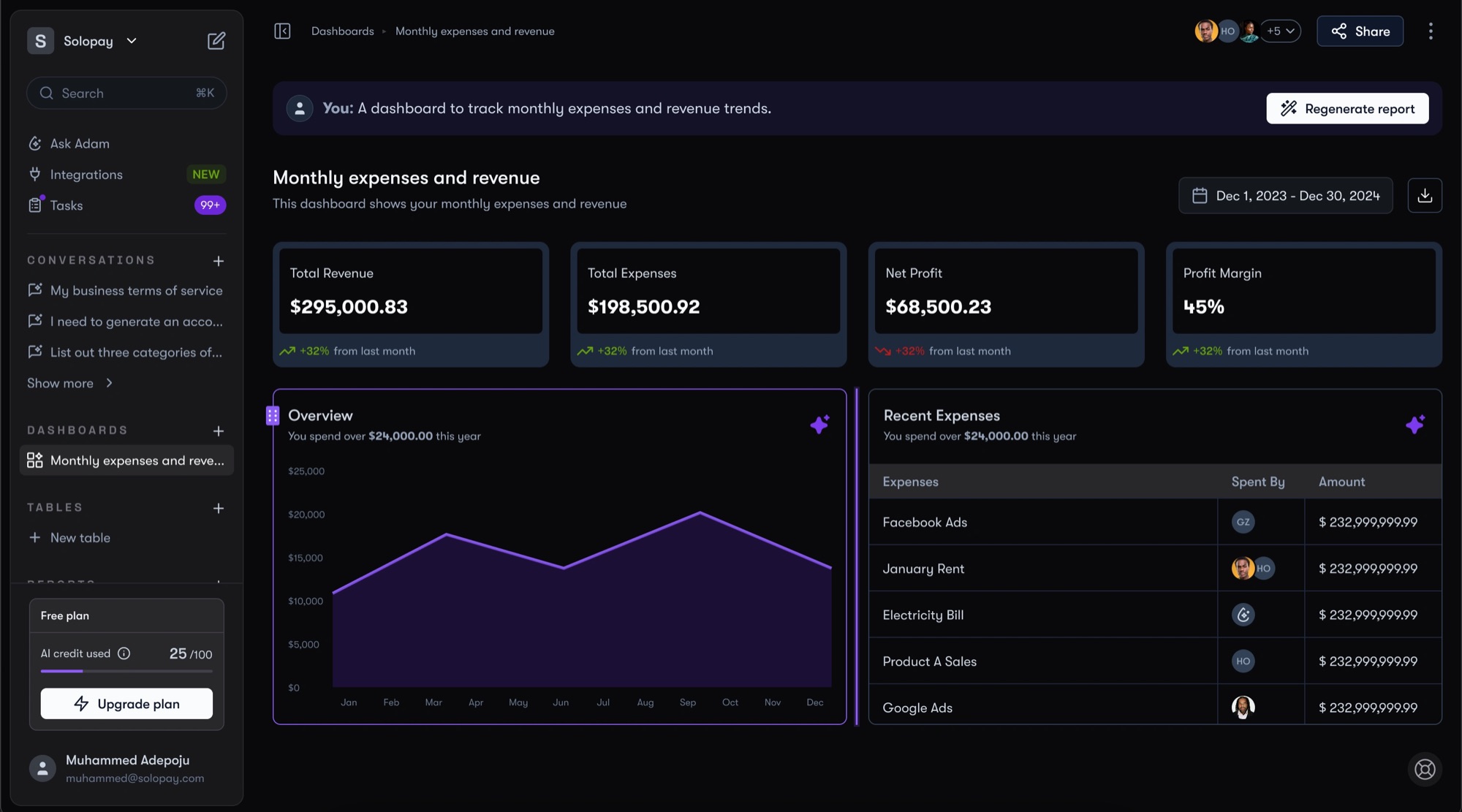
Tables and reports
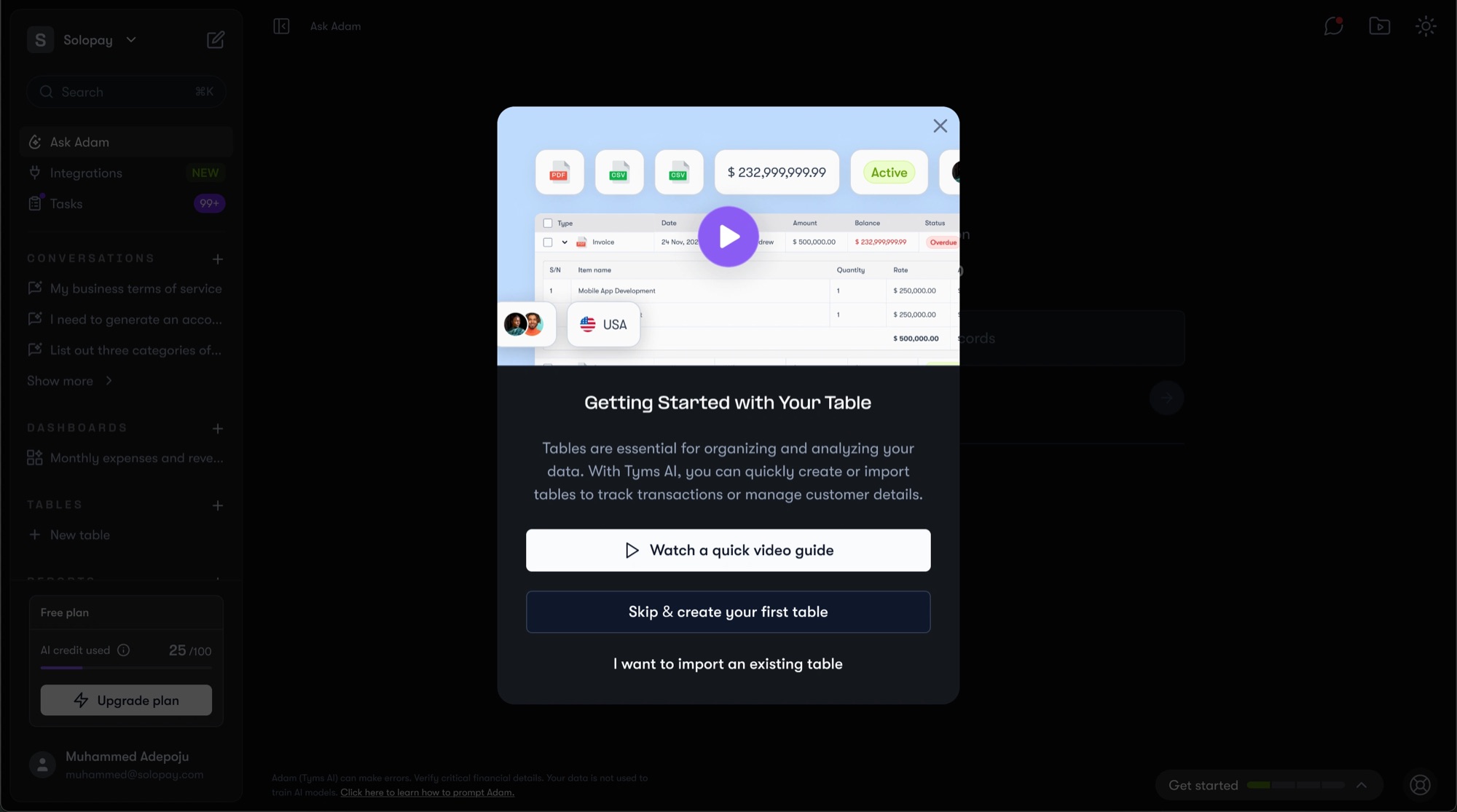
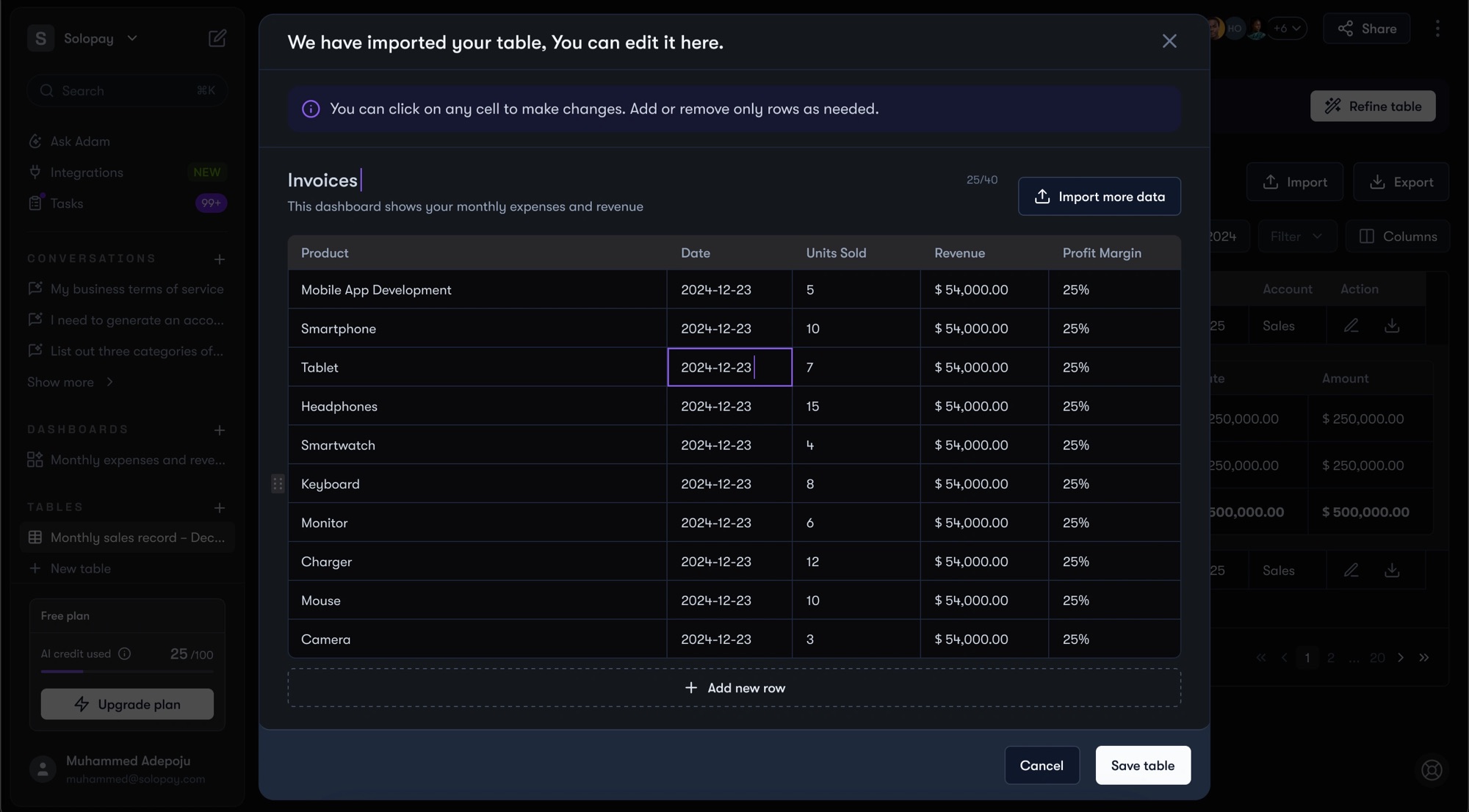
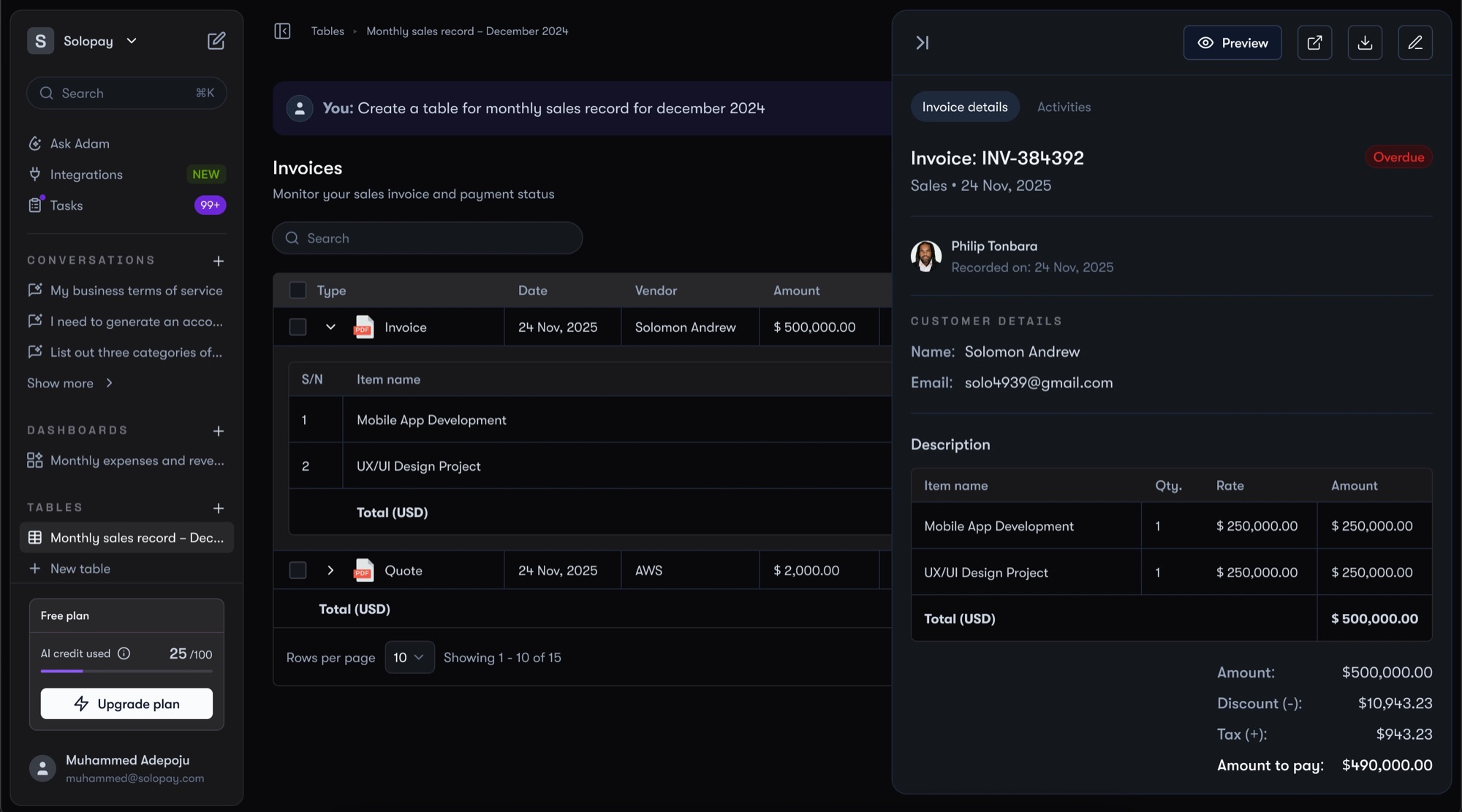
Tables in accounting software usually feel rigid. In Tyms AI, users generate invoice, expense or document tables from a prompt. Reports work like a document that fills itself with graphs, tables and text you can edit.
More screens
What success would look like
- Fewer cancellations, because the experience feels like a conversation instead of a generic tool.
- Daily use, with people relying on Adam rather than logging in occasionally.
- Faster onboarding, with business data pulled in at sign-up.
- Fewer errors, with validation and approval flows catching mistakes early.
- Non-accountants using Tyms with confidence because they can just ask.