
Vrilo
A booking system for rental businesses.
Why I made it
Lots of rental businesses still take bookings on WhatsApp and track stock in a notebook or a spreadsheet. When it gets busy, things get double-booked. I built Vrilo so a business can see what's free, take payment and run its website from one place.
How it works
- 01
Availability
Every booking, quote and checkout checks stock for the exact dates first. If an item is already out, it can't be booked again.
- 02
Getting started
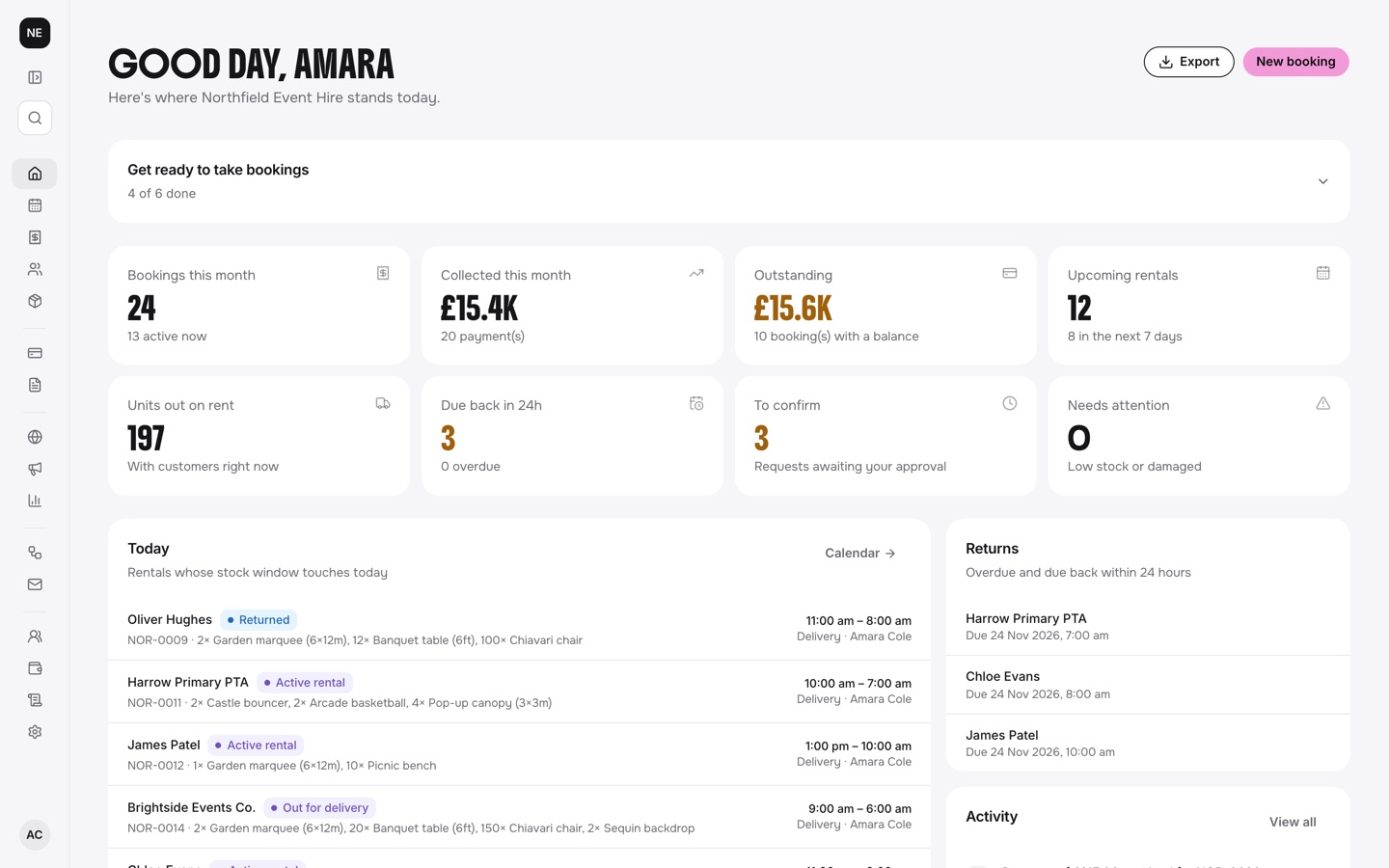
New accounts get a short checklist on the dashboard: add products, set rental rules, choose how to get paid and publish the site. You can see how far along you are.
- 03
The website editor
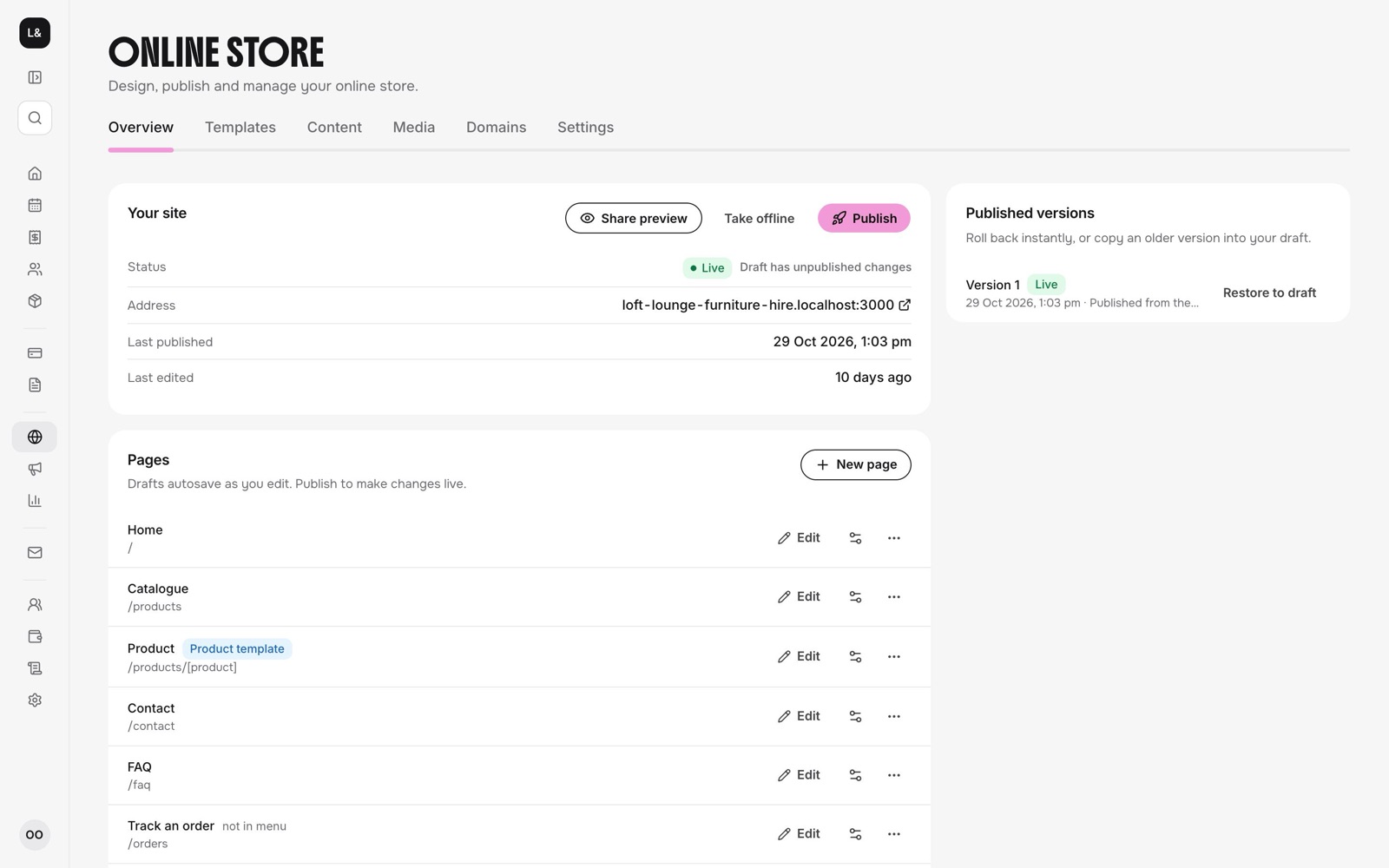
There's a simple mode for changing text and photos, and an advanced mode if you want more control. Changes save as you go and only go live when you publish.
What's in it
Availability is checked across every booking, so the same item can never be rented twice for the same dates.
Businesses list items with sizes and colours, track individual assets by serial number and sell items together as bundles.
Prices can change by rental length or season, and deposits are collected and tracked on each booking.
Delivery fees are worked out by area and by the type of vehicle each order needs.
A drag-and-drop editor with layers, screen sizes, reusable components and undo, plus seven ready-made templates.
Every website change is saved as a version, so a business can publish with confidence and go back if needed.
Everything about a customer, their bookings and their payments lives in one place.
Bookings trigger emails and follow-ups automatically, sent from the business's own email address.
An agency can run many client businesses from one account, under its own brand.